

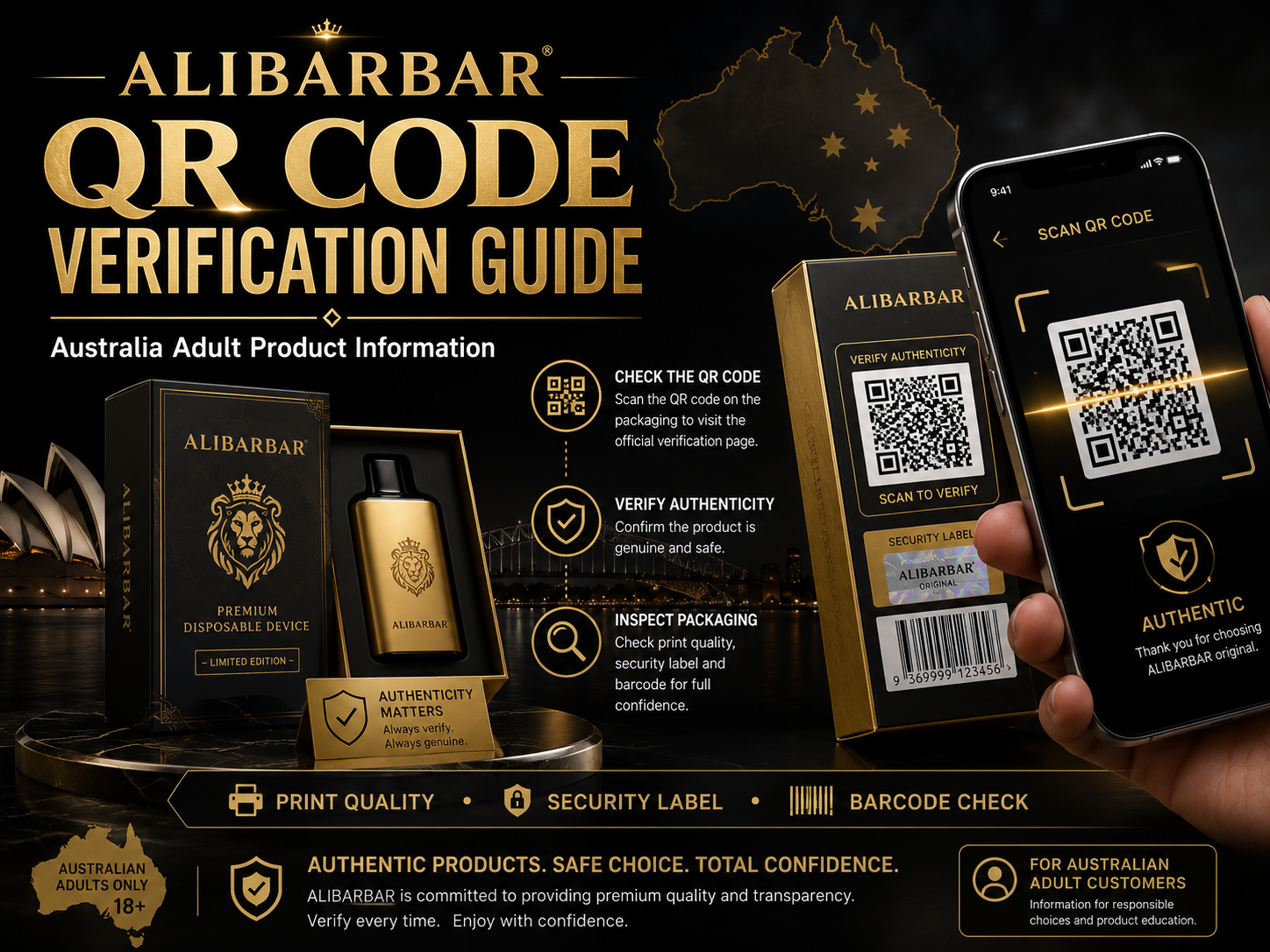
ALIBARBAR QR Code Verification Guide Australia
ALIBARBAR QR Code Verification Guide is created for Australian adult customers who want to understand how to check product authenticity through QR code scanning, packaging review and customer support verification.
A QR code is one of the most important authenticity markers on ALIBARBAR packaging. However, customers should not rely on the QR code alone. For a more complete check, review the print quality, security label, barcode, product name and overall packaging layout.
Authenticity Check
Security Label
Barcode Check
Australian Adult Guide
ALIBARBAR QR Code Verification Guide
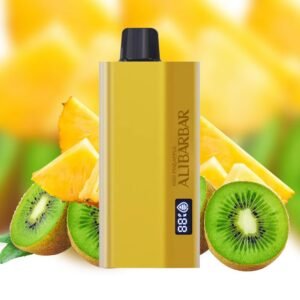
ALIBARBAR QR Code Verification
Quick Overview
The ALIBARBAR QR code verification process helps customers check whether the packaging appears genuine and whether the verification result looks correct. This guide explains what to check before trusting the product.
Step 1
Find the QR code on the product packaging.
Step 2
Scan the QR code using your phone camera or a trusted QR scanner.
Step 3
Compare the result with the product name, packaging and security label.
Why QR Code Verification Matters
Fake products may copy the gold packaging, logo style and product layout, but small details often show the difference. A clear QR code, clean barcode and professional security label can help customers make a more informed authenticity check.
For Australian adult customers, authenticity information is especially important because product pages should focus on responsible product education, packaging transparency and support rather than aggressive promotion.
How to Verify an ALIBARBAR QR Code
1. Check the QR Code Quality
The QR code should be sharp, clear and easy to scan. If the code is blurry, scratched, faded or printed unevenly, treat it as a warning sign.
2. Scan in Good Lighting
Use your phone camera in bright lighting. Keep the camera steady and make sure the full QR code appears clearly inside the scan area.
3. Review the Verification Page
After scanning, check whether the destination page looks relevant to ALIBARBAR product verification. A strange, unrelated or suspicious page should be checked with support.
4. Compare Product Details
Make sure the QR result, product name, flavour name, barcode and packaging details make sense together.
5. Inspect the Security Label
A professional security label should look clean, properly placed and consistent with the rest of the packaging.
6. Ask Support When Unsure
If anything looks unusual, send clear photos of the QR code, barcode, security label and packaging to customer support.
QR Code Verification Checklist
| Check Area | What Looks Right | Warning Signs |
|---|---|---|
| QR Code | Clear, sharp, complete and easy to scan. | Blurry, broken, damaged or unable to scan. |
| Verification Result | Relevant page and product-related verification result. | Unknown website, unrelated page or suspicious result. |
| Print Quality | Clean logo, sharp fonts and consistent gold/black printing. | Faded logo, thick letters, uneven colour or blurry text. |
| Security Label | Professional label with clean placement and security-style finish. | Flat sticker, weak print, poor alignment or missing label. |
| Barcode | Straight, clear and readable barcode. | Faded, tilted, blurry or broken barcode lines. |
| Packaging Layout | Product name, flavour name and icons are aligned neatly. | Spelling mistakes, wrong spacing or inconsistent layout. |
Need Help Checking Your QR Code?
If your QR code does not scan, leads to an unusual result, or does not match the packaging details, send clear photos to our support team. Please include the front of the box, back of the box, QR code, barcode, security label and product body.
Useful ALIBARBAR Internal Links
These internal links help customers find more product information, FAQ support, customer reviews and authenticity-related content.
ALIBARBAR Vape Australia
Main product guide and adult customer information page.
ALIBARBAR FAQ
Common questions about product information, support and verification.
Customer Reviews
Read customer experience notes and product support information.
Australian Adult Customer Notice
This page is intended for adult product information and authenticity-check education only. Nicotine is addictive. This page does not provide medical advice and does not encourage underage or non-smoking use.
Customers should follow local laws and regulations. Product information should always be checked responsibly through packaging review, QR code verification and support channels.
Frequently Asked Questions
What is the ALIBARBAR QR Code Verification Guide?
It is an adult product information guide that explains how to scan the QR code, check the verification result, inspect the security label and compare packaging details.
Is QR code verification enough by itself?
No. Customers should also check print quality, security label, barcode, product name, flavour name and overall packaging layout.
What should I do if the QR code does not scan?
Check the QR code under bright light. If it still does not scan or looks damaged, take photos of the packaging and contact customer support.
What are common fake product warning signs?
Common warning signs include blurry QR codes, poor print quality, weak security labels, faded barcodes, spelling mistakes and inconsistent packaging layout.
Final Summary
ALIBARBAR QR Code Verification Guide Australia helps Australian adult customers understand how to scan a QR code and compare packaging details before trusting a product.
A complete authenticity check should include QR code scanning, security label inspection, barcode review, print quality comparison and support confirmation when anything looks unusual.
For more ALIBARBAR information, visit
ALIBARBAR Vape Australia
.